
Plug Straight Into Your Current Setup
Cloud Inventory connects across ERP, enterprise, and operational systems to unify inventory execution and data flow.
Oracle Fusion
Connect Cloud Inventory seamlessly with Oracle Fusion.

Oracle EBS
Effortlessly connect Cloud Inventory with EBS systems.

SAP
Connect SAP to improve inventory accuracy and control.

Microsoft
Connect Dynamics 365 F&O to improve warehouse execution.

IFS
Integrate to IFS to improve inventory control and execution.

NetSuite
Connect NetSuite to improve inventory accuracy and control.

JD Edwards Enterprise One
Connect JD Edwards E1 to improve inventory control and flow.

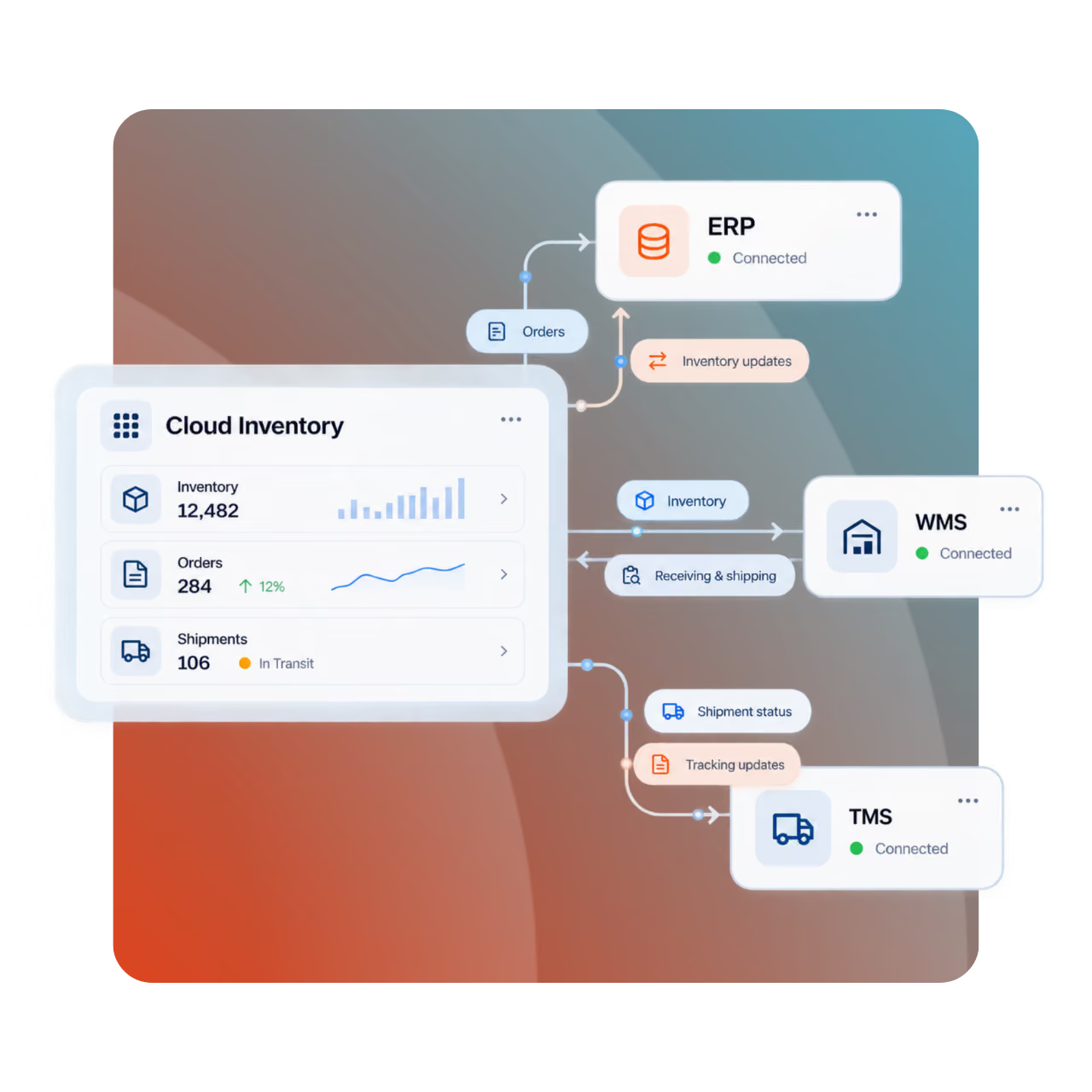
How Cloud Inventory Keeps Your Data Moving
Cloud Inventory connects with virtually any ERP or enterprise system, as well as RFID technology, barcode scanners, pick-to-light systems, and other IoT devices. Teams can capture inventory activity, move materials, and update records in real time without switching tools or rekeying data. Work gets done faster, errors drop, and everyone sees the same up-to-date inventory information.
Connect Cloud Inventory to Any ERP System
Cloud Inventory connects to any ERP or system of record through RESTful APIs and flexible integrations. For users, that means receiving, moving, issuing, and counting inventory once at the point of work—while transactions update trusted systems in real time, reducing rekeying, delays, and errors.






Choose the Right Inventory Control Approach
Cloud Inventory Platform and MEP reduce operating costs, improve inventory accuracy, and boost productivity by digitizing execution and capturing real-time data at the point of activity.
FAQs
Explore how Cloud Inventory connects with ERPs, legacy systems, devices, APIs, and offline workflows.
Which systems does Cloud Inventory integrate with?
Cloud Inventory integrates with virtually any ERP or system of record, including Oracle Fusion, EBS, NetSuite, JD Edwards, SAP, Microsoft Dynamics 365, IFS, Infor, Nextworld, and custom or legacy systems. Its API-first architecture also supports connections to databases, devices, and other enterprise applications.
Does Cloud Inventory support real-time data synchronization, or is there a delay?
Yes. Cloud Inventory supports real-time synchronization with ERP and system-of-record data, so inventory transactions can update immediately as work occurs. If users are offline, transactions are captured locally and automatically synchronized when connectivity returns.
Can we integrate Cloud Inventory with legacy or custom-built databases?
Yes. Cloud Inventory is API-first and designed to connect with virtually any ERP or system of record, including legacy and custom environments. RESTful APIs and flexible integration options let organizations exchange inventory data without replacing existing systems.
Are prebuilt connectors available, or do we need to develop custom APIs?
Cloud Inventory supports prebuilt integrations for major ERP platforms and also provides an extensive API library. For other systems, its API-first architecture and out-of-the-box RESTful integration make it possible to connect without relying on proprietary connectors or rebuilding your core systems.
How does Cloud Inventory sync data back to our ERP when field workers are offline?
Cloud Inventory lets field workers continue capturing inventory and work activity without connectivity. Transactions are queued on the device and automatically synchronized with Cloud Inventory and the connected ERP once a network connection is restored.
Does Cloud Inventory integrate directly with our existing barcode scanners and mobile devices?
Yes. Cloud Inventory supports ruggedized handheld scanners, wearables, smartphones, and tablets, allowing teams to use familiar devices for mobile data capture. Broad hardware support helps reduce disruption, speed adoption, and extend real-time inventory execution to the point of work.