

Built-In Automation Tools
Turn manual processes into automated workflows without writing code or worrying how they will upgrade. Make changes quickly to your inventory apps and eliminate repetitive work using built-in low-code and no-code tools.
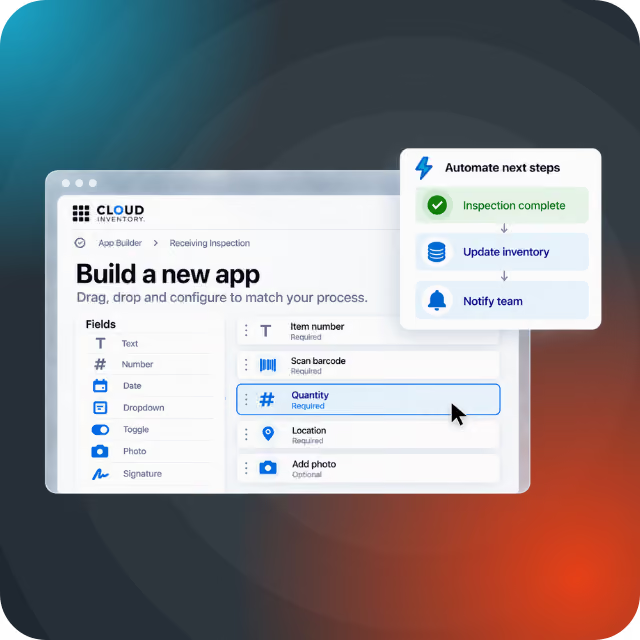
Build
Build custom mobile and desktop apps for your warehouse that work seamlessly with Cloud Inventory. Solve unique inventory challenges as they come without lengthy development cycles.
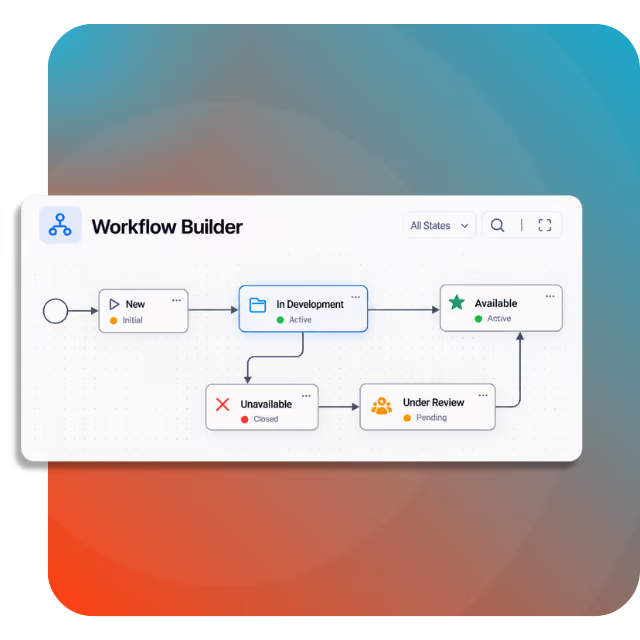
Extend
Customize Cloud Inventory solutions to match the way your operation works. Gain the flexibility to adapt forms, workflows, and functions without traditional code or the upgrade headaches that come with it.
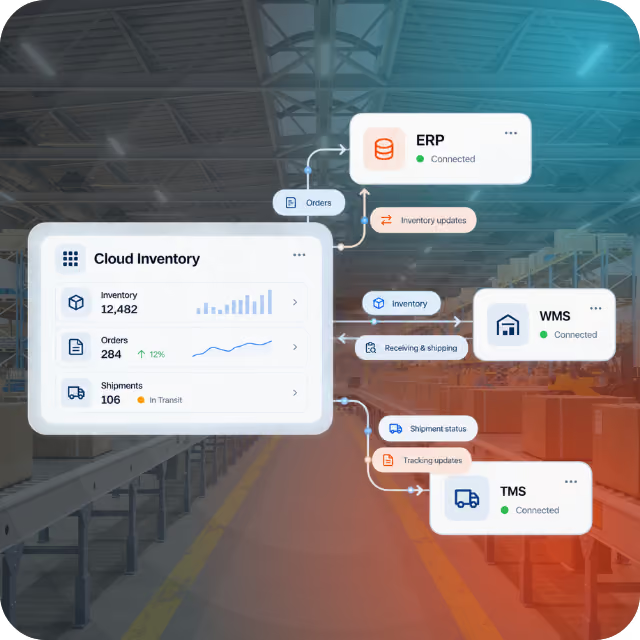
Integrate
Connect Cloud Inventory with your ERP and other critical systems using REST APIs. Keep data synchronized across your technology ecosystem and eliminate the manual handoffs that slow work down.
Choose the Right Inventory Control Approach
Find the inventory management solution that best matches your business needs.
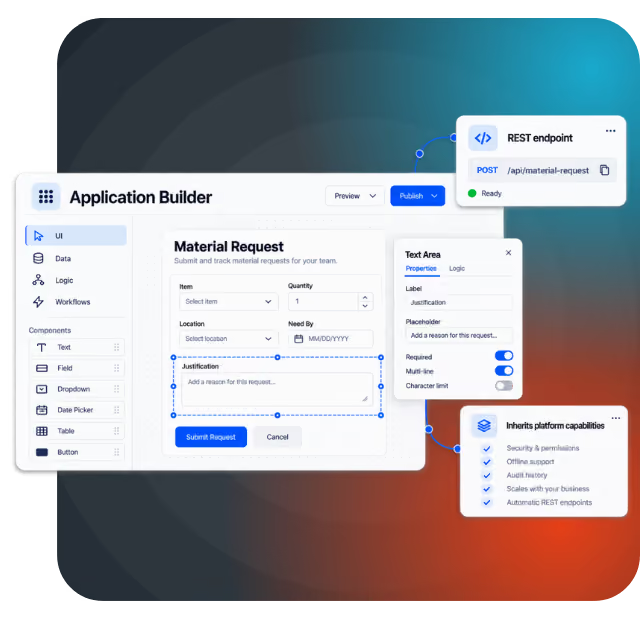
How It Works
The same low-code/no-code tools used to build Cloud Inventory solutions are available to your developers/IT. Visually customize apps, data, logic, and workflows—or build something entirely new. Everything you create works within the same environment, inherits core platform capabilities, and automatically includes REST endpoints.
FAQs
Get answers to common questions about Cloud Inventory's low-code/no-code capabilities.
What can I build with Cloud Inventory's low-code/no-code tools?
You can build mobile and desktop applications, business logic, validations, workflows, integrations, and AI agents tailored to your specific requirements.
Can I customize existing Cloud Inventory applications?
Yes. Developers can add fields, extend the data model, and customize workflows that come out of the box.
Who are Cloud Inventory's automation tools designed for?
The tools are primarily designed for technical users like developers and IT teams with the aim of cutting dev time significantly when compared to traditional coding.
How are low-code/no-code customizations affected at upgrades?
No-code customizations are automatically carried forward without the upgrade burden associated with custom code. Configurations made with our low-code tools may require additional consideration during upgrade cycles.
Are custom applications separate from Cloud Inventory applications?
No. Applications you build operate within the same environment as Cloud Inventory, and can take advantage of the platform's existing data, security, and mobile capabilities.
Are Cloud Inventory solutions built with these same low-code/no-code tools?
Cloud Inventory applications are built using the same development tools available to customers, giving your developers the ability to build and extend solutions on the exact same foundation as our product.